Streamlit-read-pdf
PDF Explorer: Streamlit-powered PDF Reader
An interactive Streamlit application designed to extract and display content from PDF files in an intuitive and user-friendly interface. This project simplifies reading PDFs by enabling users to upload files, view their contents, and perform basic text extraction directly in a web-based environment.
Features
- Upload PDFs: Easily upload PDF files using the Streamlit interface.
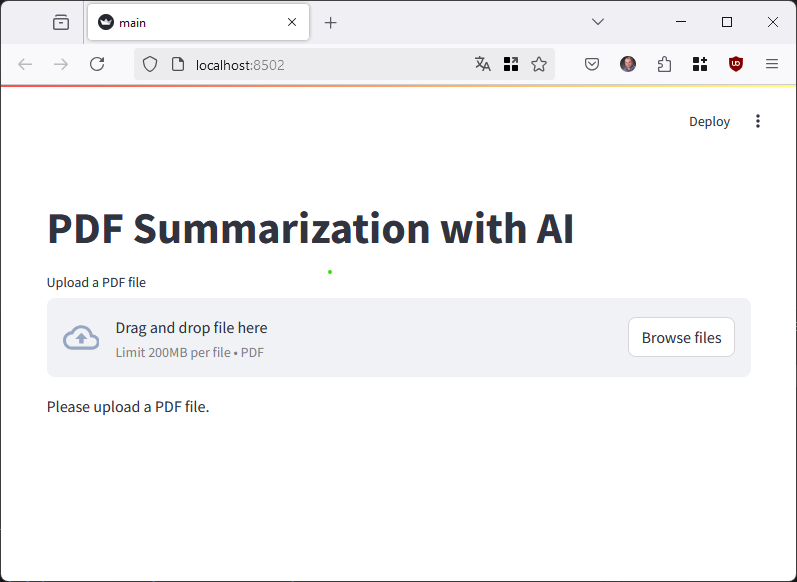
- Content Display: View the content of each page of the uploaded PDF.
- Text Extraction: Extract text from PDFs for analysis or further processing.
- Interactive Interface: A clean, responsive interface built with Streamlit.
- Cross-Platform: Runs seamlessly on Windows, macOS, and Linux.
Screenshots
Prerequisites
Before you begin, ensure you have met the following requirements:
- Python 3.8+
- Install the required dependencies (see below).
Installation
- Clone this repository:
git clone https://github.com/TamerOnLine/Streamlit-read-pdf.git cd Streamlit-read-pdf - Create a virtual environment:
python -m venv venv source venv/bin/activate # On Windows: venv\Scripts\activate - Install dependencies:
pip install -r requirements.txt - Run the application:
streamlit run src/main.py - Open your browser and navigate to
http://localhost:8501.
Usage
- Launch the app using the installation steps.
- Upload your desired PDF file through the interface.
- View and interact with the extracted content directly in the application.
Development
Folder Structure
Streamlit-read-pdf/
├── src/
│   └── main.py          # Main application file
├── requirements.txt    # List of Python dependencies
├── README.md           # Documentation file
├── venv/               # Virtual environment folder
└── .gitignore          # Git ignore file
How to Contribute
- Fork this repository.
- Create a new branch:
git checkout -b feature-name - Make your changes and commit them:
git commit -m "Added feature-name" - Push to the branch:
git push origin feature-name - Create a pull request.
License
This project is licensed under the MIT License. See the LICENSE file for details.
Contact
For further inquiries or contributions, reach out:
- Email: info@tameronline.com
- GitHub: TamerOnLine
Acknowledgements
- Thanks to the Streamlit community for their continuous support and resources.
- Inspired by the simplicity of interactive PDF readers.
Enjoy using PDF Explorer! Feel free to share feedback or report issues on the GitHub Issues page.