foto
📸 tameronline-foto
A lightweight desktop tool to resize and compress images using Python and a simple GUI built with Tkinter.
Designed to reduce image size without significant quality loss, with automatic compression and dimension adjustment.
🚀 Features
- Compress images to under 300KB (or any specified target).
- Resize images (default: 800x800 pixels).
- Supports common formats: JPG, PNG, WEBP, BMP.
- Simple graphical interface.
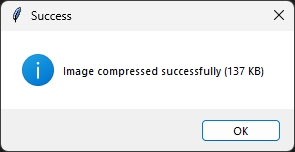
- User alerts for success or failure of the operation.
🖥️ Screenshot (optional)
🧰 Requirements
pip install -r requirements.txt
pillow– For image processing.pyinstaller– To optionally build an executable file.
🛠️ Usage
- Run the script
myfoto.py. - Select an image from your system.
- The image will be resized and compressed to the same directory with a name like
image_compressed.jpg. - A message box will confirm whether the compression was successful.
From terminal (optional)
python myfoto.py
🧱 Project Structure
tameronline-foto/
├── README.md              ← This file
├── LICENSE                ← Apache 2.0 license
├── myfoto.py              ← Main script for GUI and image processing
└── requirements.txt       ← Required libraries
📦 Build Executable (Optional)
You can use PyInstaller to generate an executable:
pyinstaller --onefile myfoto.py
The executable will appear in the dist/ folder.
📥 Downloads
📄 License
This project is licensed under the Apache License 2.0.
ℹ️ Note: This repository is currently under initial setup. Final name and structure may change.
🚧 Roadmap to Production-Grade Version
To evolve tameronline-foto into a truly production-ready image compression tool, several enhancements are planned or suggested for future development:
-
🖥️ Modern GUI
Upgrade the interface from Tkinter to a more modern toolkit such as PyQt5, Ttk, or even a cross-platform solution like Electron for a smoother user experience. -
📁 Batch Processing Support
Enable users to compress multiple images at once by selecting folders instead of single files. -
🎛️ Advanced Compression Controls
Add settings for users to adjust output quality, choose specific formats like WebP, and fine-tune compression ratio. -
🧰 Installer Package
Create a user-friendly Windows installer (using tools like Inno Setup or NSIS) to simplify deployment. -
🌐 Dedicated Landing Page
Develop a simple static website for the project with a clean UI, feature overview, screenshots, and direct downloads. -
📢 Release & Distribution
Publish the application to broader platforms like Product Hunt, Softpedia, AlternativeTo, and relevant open-source directories. -
🔔 Update Notification System
Implement a lightweight mechanism to notify users when a new version is available (e.g., via API or version check).
✨ Author
- Tamer Hamad Faour – GitHub: TamerOnLine